Arrange the camera grid
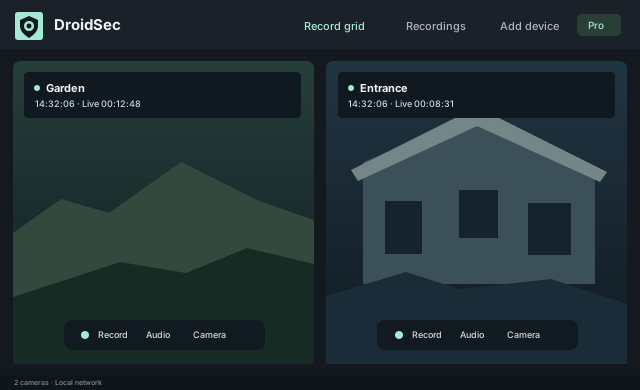
Resize and reorder feeds, choose horizontal or vertical layouts, and save layout profiles. Each feed has a timestamp and live-session duration.
Connect phones over your local network. View their feeds in one dashboard, listen to individual cameras, and record video with audio to a folder on your PC.
Free includes one camera. Windows x64 + Android 8.0 or later.
Free includes viewing, listening and recording.
Resize and reorder feeds, choose horizontal or vertical layouts, and save layout profiles. Each feed has a timestamp and live-session duration.
Record selected cameras or the grid, including audio. Set resolution, frame rate, compression and grayscale independently from the live view.
Choose a recording folder, retention age and storage limit. Protect clips you want to keep, play recordings, and save a copy.
Install DroidSec on your Windows PC and the APK on Android. Choose Camera on the phone and grant Camera and Microphone permissions.
Connect both devices to your home network. Select Add device in Windows, then Pair with Windows on the phone to scan its QR code.
Select Start on Android. Windows remembers its pairing. Choose a recording folder after setup, then enable recording if you want it.
Pro includes five reusable camera slots for $25 once. Use Android Monitor to view cameras and recordings, and speak to one or more phones. Additional camera slots cost $3.99 once; Monitor devices and Windows installations do not consume slots.
DroidSec does not upload camera streams or recordings to a cloud service. Paid activation, purchases, recovery and camera-slot changes use an online licensing service. Activated licenses are cached for offline use.
Read the privacy information →